AI Maestro on Mobile
Full-featured dashboard optimized for touch
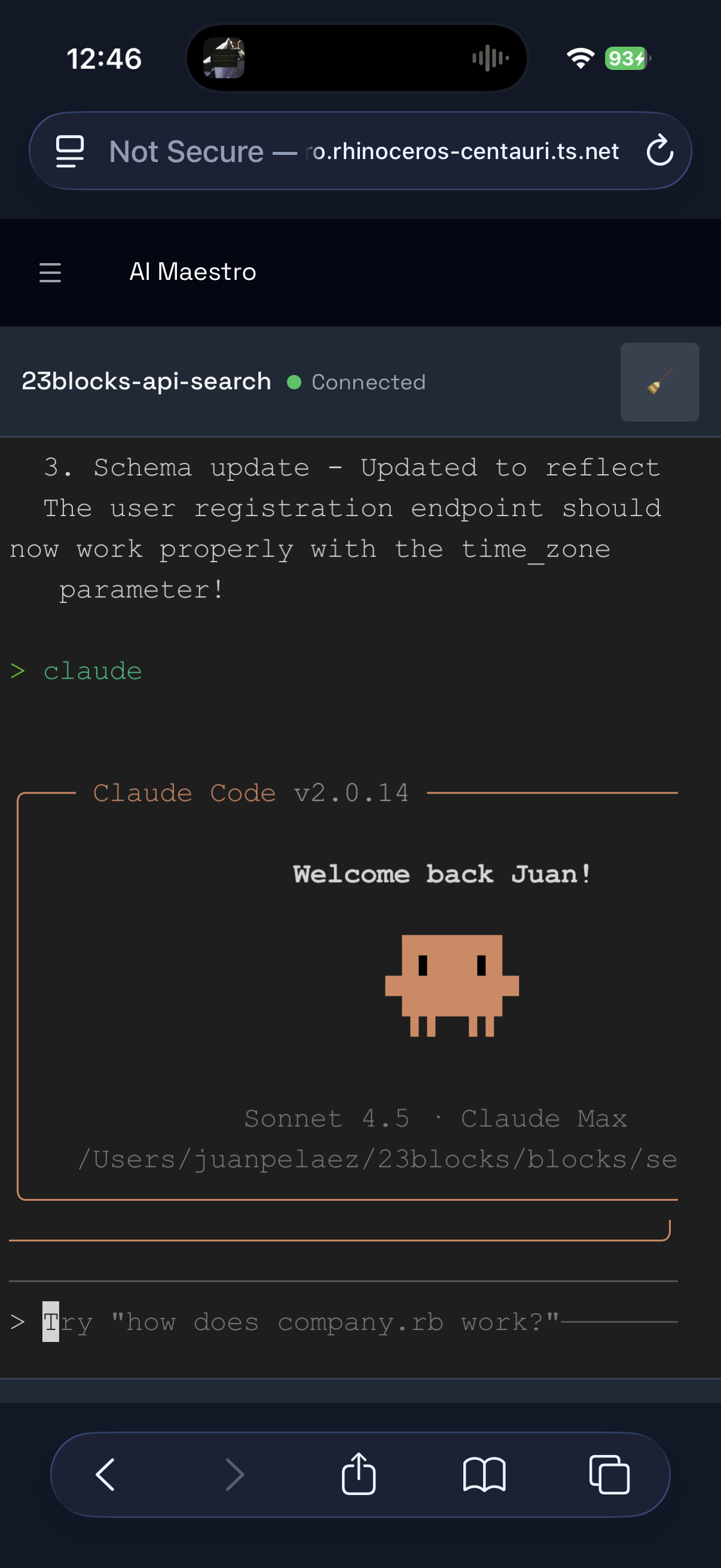
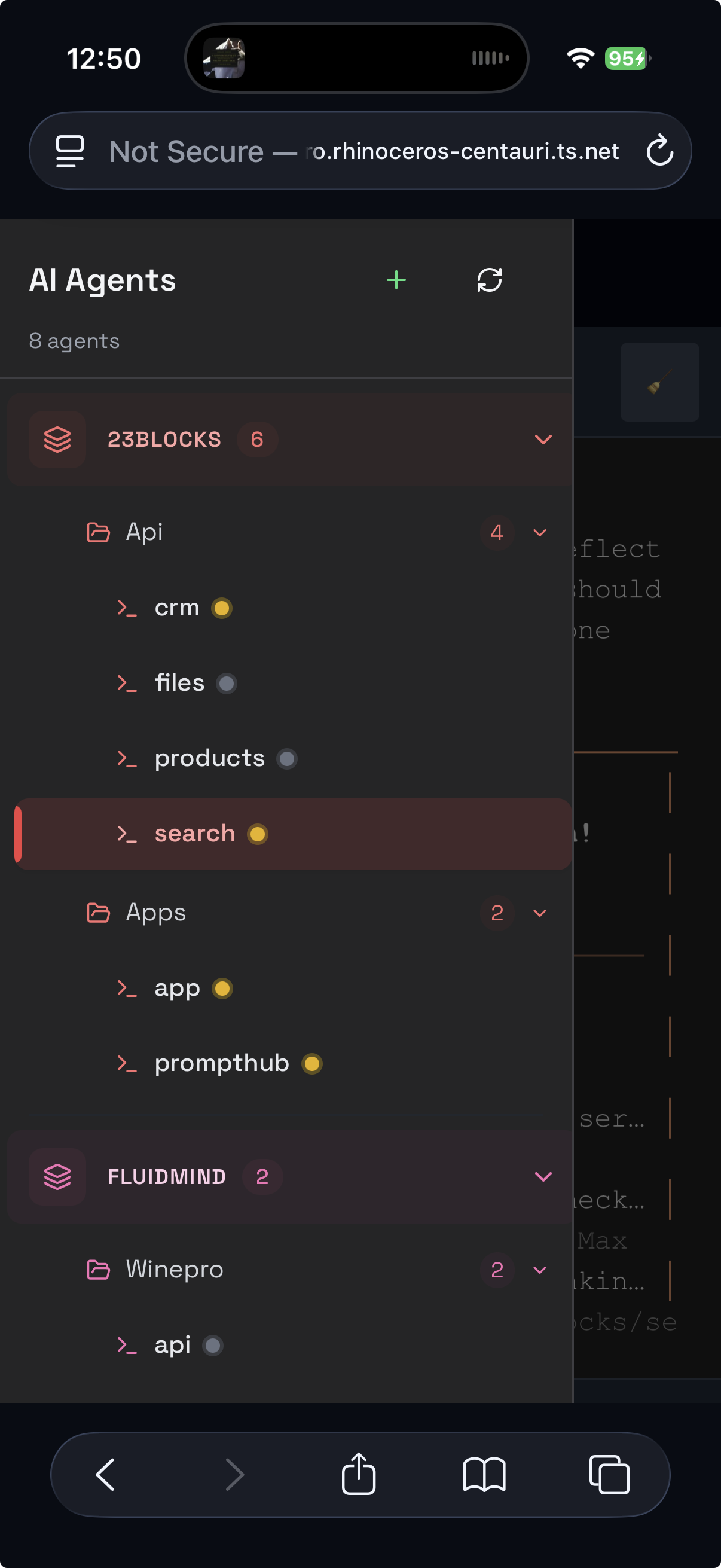
Your AI agents go wherever you go. Monitor and control your coding agents from your phone, tablet, or any device. Secure remote access with zero port forwarding.
Check builds from anywhere
Monitor agents on the go
Distributed team visibility
Enterprise fleet monitoring
Full-featured dashboard optimized for touch
You started a long build before lunch. Now you're at a coffee shop wondering if it finished.
Check your agents from your phone. Monitor progress from anywhere. Stay informed without being desk-bound.
Every pixel optimized for small screens
Tap targets sized for fingers, not mice. Swipe gestures for quick navigation. Smooth scrolling throughout.
Maximizes terminal space on small screens. Toggle with a tap. Remembers your preference.
Only essential info visible. More space for what matters. Clean, distraction-free interface.
Collapsed by default on mobile. Expand when needed. Full editing support with auto-save.
View complete output. Scroll through history. Copy text selections. Read-only for safety.
Adapts to any screen size. Portrait or landscape. Phone, tablet, or desktop. Always beautiful.
Zero-config VPN that just works. No port forwarding, no firewall hassles.
Note: AI Maestro is not endorsed by or affiliated with Tailscale in any way. We simply use it and recommend it based on our positive experience.
No need to expose ports to the internet. No router configuration. Works behind any firewall.
All traffic automatically encrypted. WireGuard protocol. Military-grade security.
Behind NAT, firewalls, routers. Coffee shops. Hotel Wi-Fi. Cellular networks. Just works.
Up to 100 devices. No credit card required. Perfect for individual developers.
brew install tailscale
For Linux: curl -fsSL https://tailscale.com/install.sh | sh
Use the same account (Google, Microsoft, or GitHub). They'll automatically connect to each other.
cd ai-maestro
yarn dev
Server starts on port 23000
Open your mobile browser and navigate to:
http://YOUR-MACHINE-NAME:23000
Find your machine name in Tailscale app → Machines
💡 Pro Tip
Bookmark the URL on your mobile device for instant access. Add it to your home screen for a native app-like experience!
Started a 30-minute build? Grab lunch and check progress from your phone. Get notified when it's done.
Away from desk? See what your agents are working on. Read their output. No need to rush back.
Read notes on your tablet while thinking through a problem. Update todos from your phone during commute.
Quick glance to see if tests passed. Check if deployment succeeded. Stay informed without interrupting flow.
Monitor agents from tablet while relaxing. Full visibility without being at desk. Remote doesn't mean disconnected.
Airport delay? Check your builds. Hotel room? Review what agents accomplished. Always connected.
Set up mobile access in under 5 minutes.